
Use case
Turn a Photo of a Photo into a Clean Copy
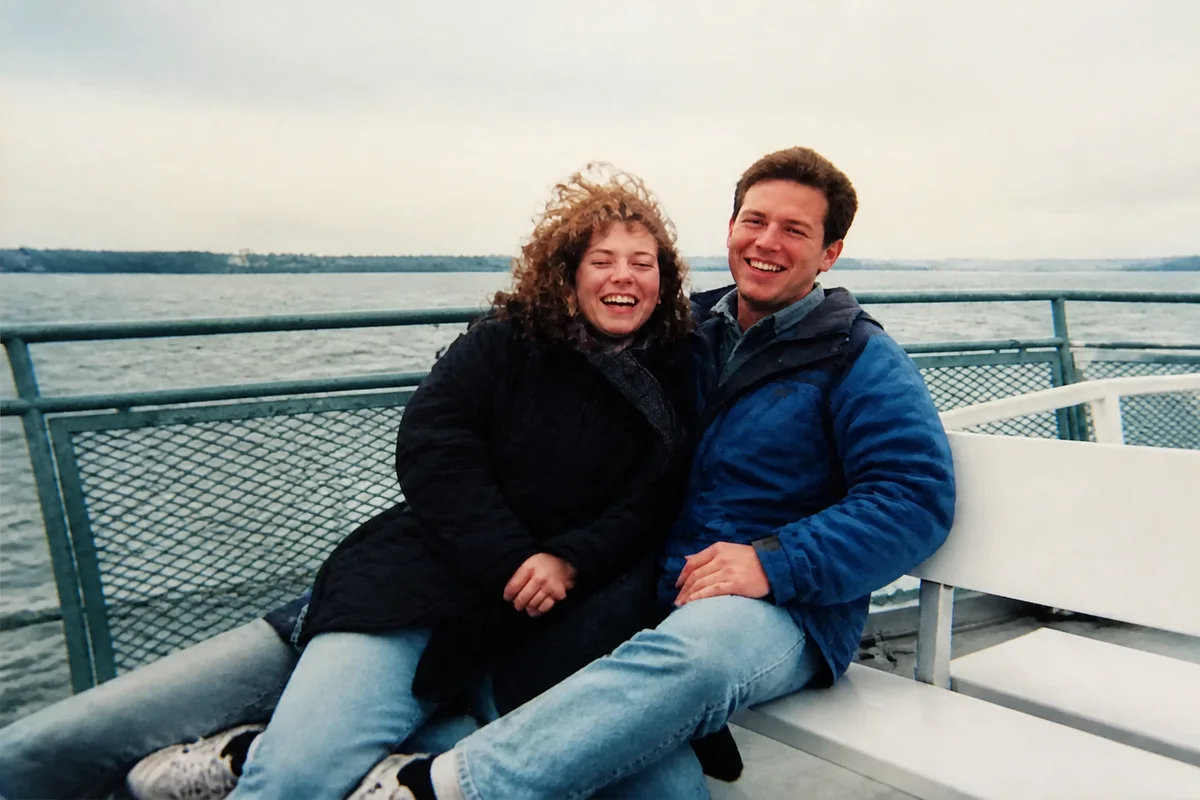
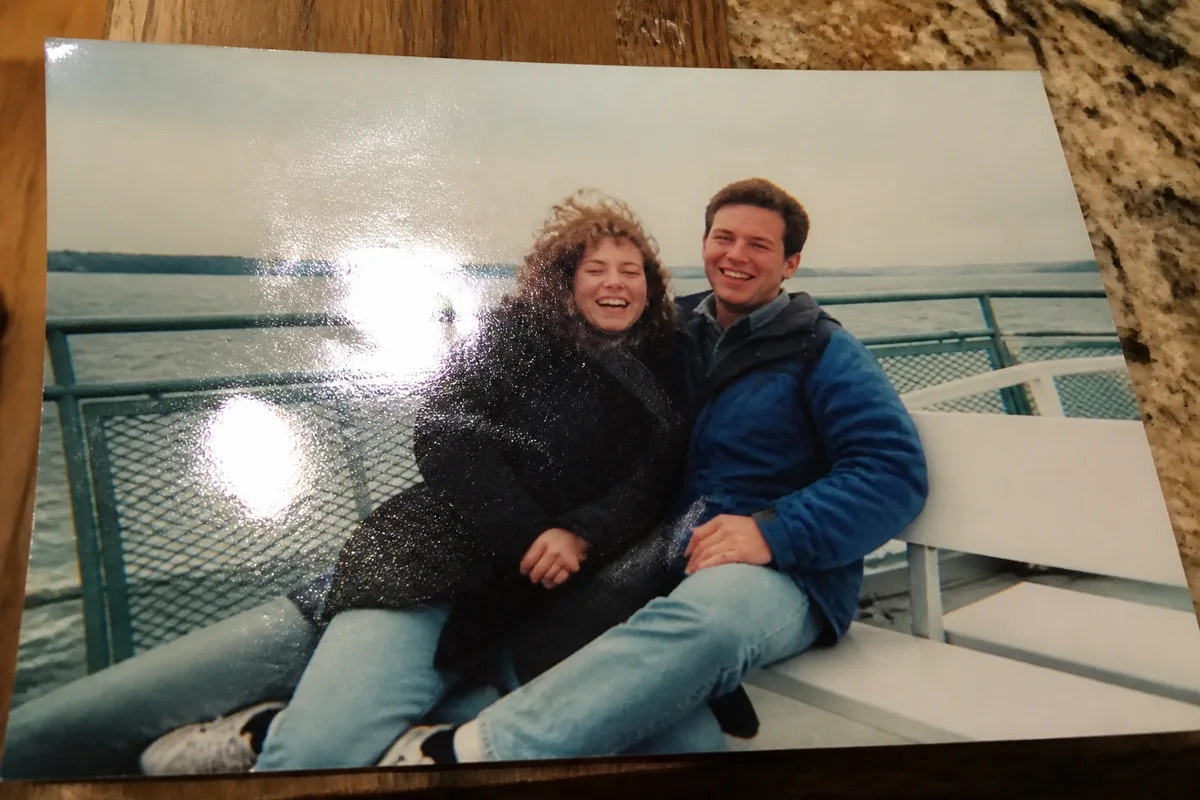
Watch the rescue unfold — pull the slider across.
It happens at every visit to an older relative's house: a print you've never seen on the hallway wall, no time or permission to dismantle the frame, so you photograph it where it hangs. The result is a photo of a photo — glare stripe from the window, slight keystone tilt, the room's lamp reflected in the glass — but it's the copy you have.
AI treatment turns that compromised capture into a legitimate digital copy. Glare lifts, the perspective squares up, frame edges crop away, the dim-hallway exposure corrects, and the print's own aging gets the same restoration a flatbed scan would. Seconds of processing stand in for the scanner you didn't have.
This is how distributed family archives actually get built — cousins photographing each other's walls — so it's worth doing the captures right and letting AI close the quality gap.
The problems this solves
- Window and lamp glare stripe across the glass.
- Shooting from below or beside the frame skews the perspective.
- Hallway lighting leaves the capture dim and color-cast.
- The print inside the frame has its own fade and damage on top.
A workflow that works
Remove the glass glare
The reflection stripe is the capture's biggest flaw — lifting it reveals the print underneath.
AI Glare RemovalSquare the perspective
Straightening the keystone tilt and cropping to the print's edges makes the capture read as a scan.
AI Photo ReframeCorrect the room's lighting
Hallway lamps stain the capture amber; correction restores the print's actual tones.
AI White BalanceRestore the print itself
With the capture problems solved, the print's own fade and wear get the standard revival.
AI Photo RestorationFrequently asked questions
How should I photograph a framed print for best results?
Kill the flash, stand square to the frame, and angle slightly until reflections slide off the image area. Fill the viewfinder with the print. Even a flawed capture is workable — but thirty careful seconds saves cleanup.
Can you fix a capture someone else took badly?
Usually — glare, tilt, and dimness all respond. Extreme angles cost real detail on the far side of the print, so ask for a straighter reshoot when possible.
Is a phone capture as good as a flatbed scan?
A careful capture plus AI cleanup gets close enough for sharing, slideshows, and moderate prints. For a museum-grade heirloom, a proper scan when the frame can be opened is still worth arranging.
What's the cost to clean up a wall's worth of captures?
Seconds each, and signup includes 4 free credits — the hallway's best print is a good first test.
Related use cases