
Use case
Bring Faded Polaroids Back to Life
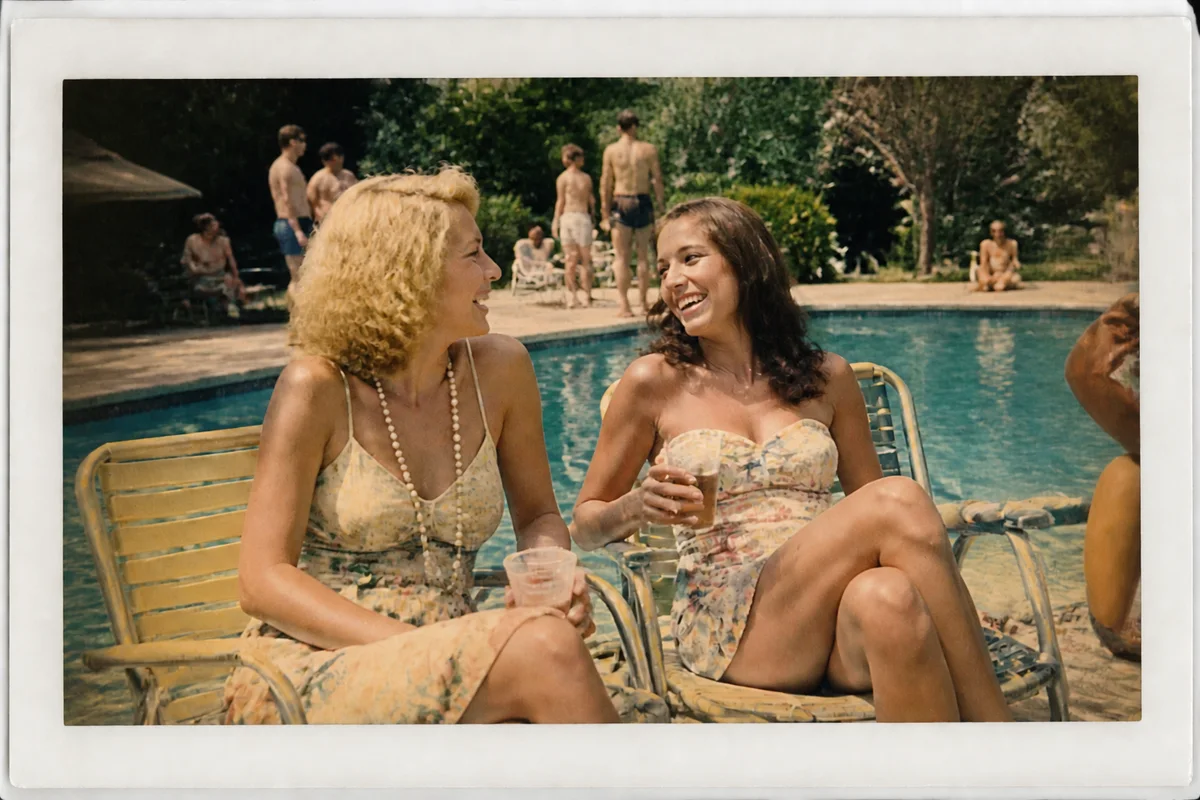
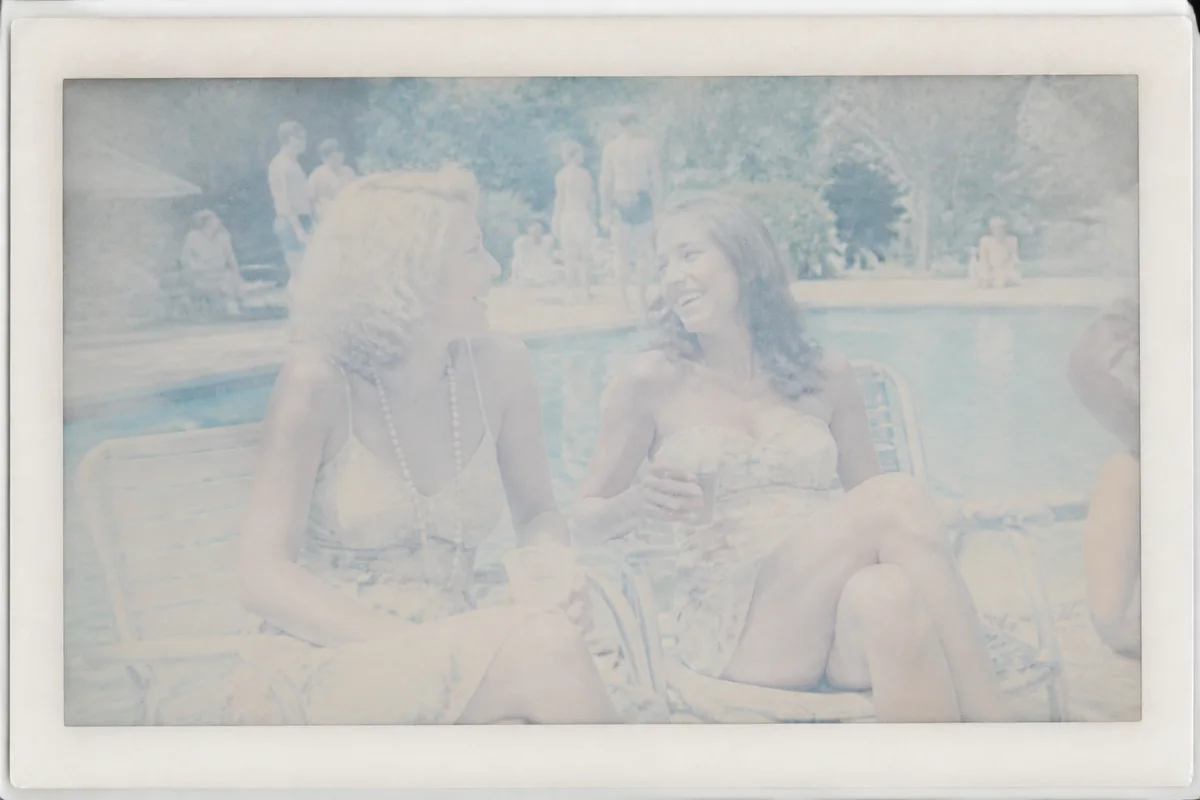
Watch the rescue unfold — pull the slider across.
Instant film was never built to last. The chemistry that made a Polaroid appear in sixty seconds keeps working slowly for decades, and one day you open a shoebox to find the faces you remember drifting toward a pale orange haze. The picture is still in there — it just needs help coming back out.
Upload a scan or even a phone photo of the print, and AI restoration works on the fade the way a darkroom technician once would: rebuilding contrast, pulling color back toward where it started, and cleaning the surface marks the print collected along the way. It takes seconds per photo, so an entire shoebox is an evening project, not a year-long one.
Start with the prints that matter most — sign-up comes with 4 free credits, enough to rescue a few favorites before you commit to the whole box.
The problems this solves
- The characteristic Polaroid fade shifts everything toward washed-out orange or cyan.
- Contrast collapses, so faces and backgrounds melt into the same pale tone.
- The soft focus of instant film gets softer as the dye layers age.
- Fingerprints, scuffs, and emulsion cracks accumulate on the glossy surface.
A workflow that works
Restore the print
Restoration tackles the whole package at once — fade, discoloration, and surface wear — which is usually most of the battle with instant film.
AI Photo RestorationRebalance the color shift
Aged instant film drifts toward a distinct warm or cool cast; correcting the balance lets skin tones read as skin again. Compare against your memory of the scene and adjust to taste.
AI White BalanceClean up surface marks
Decades in wallets and shoeboxes leave scuffs and creases that pull the eye away from the moment itself.
AI Scratch RepairSharpen and enlarge
Polaroid frames are small; upscaling gives you a file big enough to print at a size worth framing.
AI Image UpscalerFrequently asked questions
Do I need a scanner, or can I photograph the Polaroid with my phone?
A phone photo works. Shoot straight-on in soft indirect light, avoid reflections on the glossy surface, and fill the frame with the print. A flatbed scan captures a bit more detail if you have one.
Will the restored colors match what the photo looked like new?
The AI rebuilds color from what survives in the print, so results are a reconstruction rather than a record. Review each result against your own memory of the scene, and keep the original scan alongside the revived copy.
Is it safe to keep editing the same photo?
Yes — your original upload is never altered. Every edit produces a new version, so you can try different treatments and keep the one that feels right.
How long does one photo take?
Seconds. Upload, pick the treatment, and the revived version comes back almost immediately — the site runs in your browser around the clock, no appointment needed.
Related use cases