
Use case
Restore Your Family's Heirloom Photos
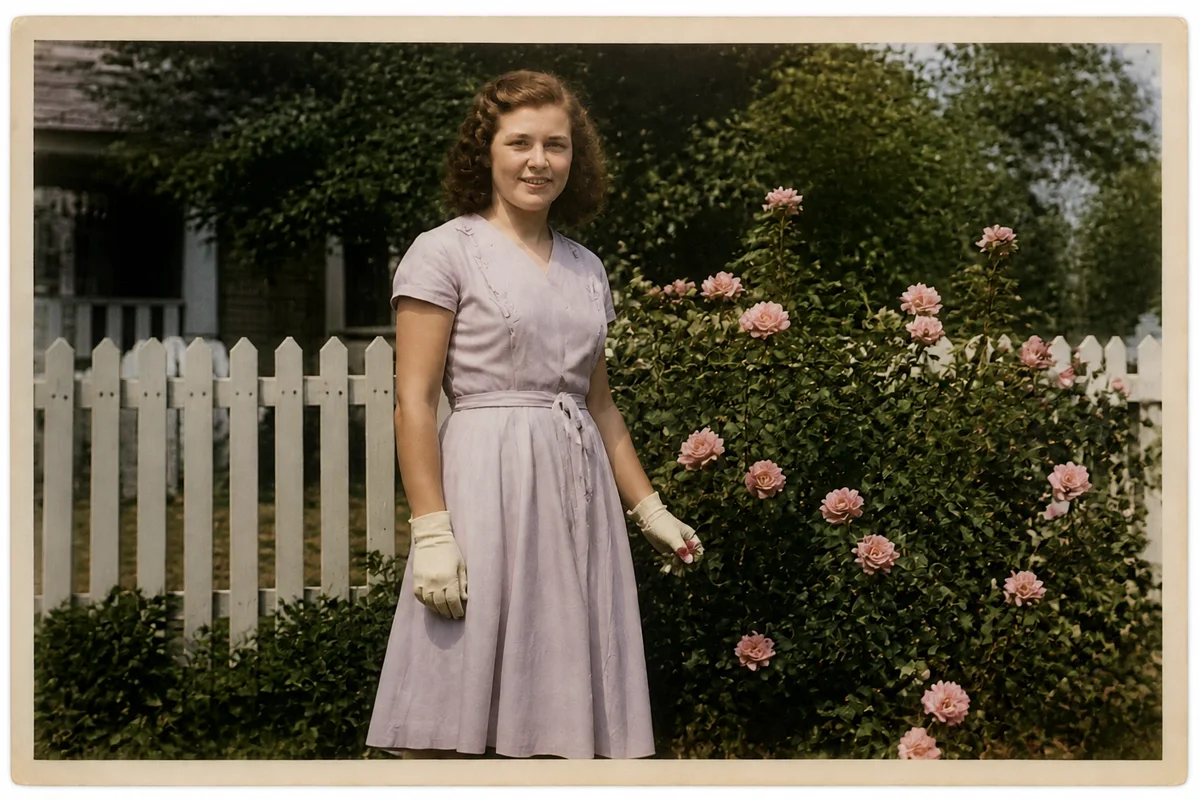
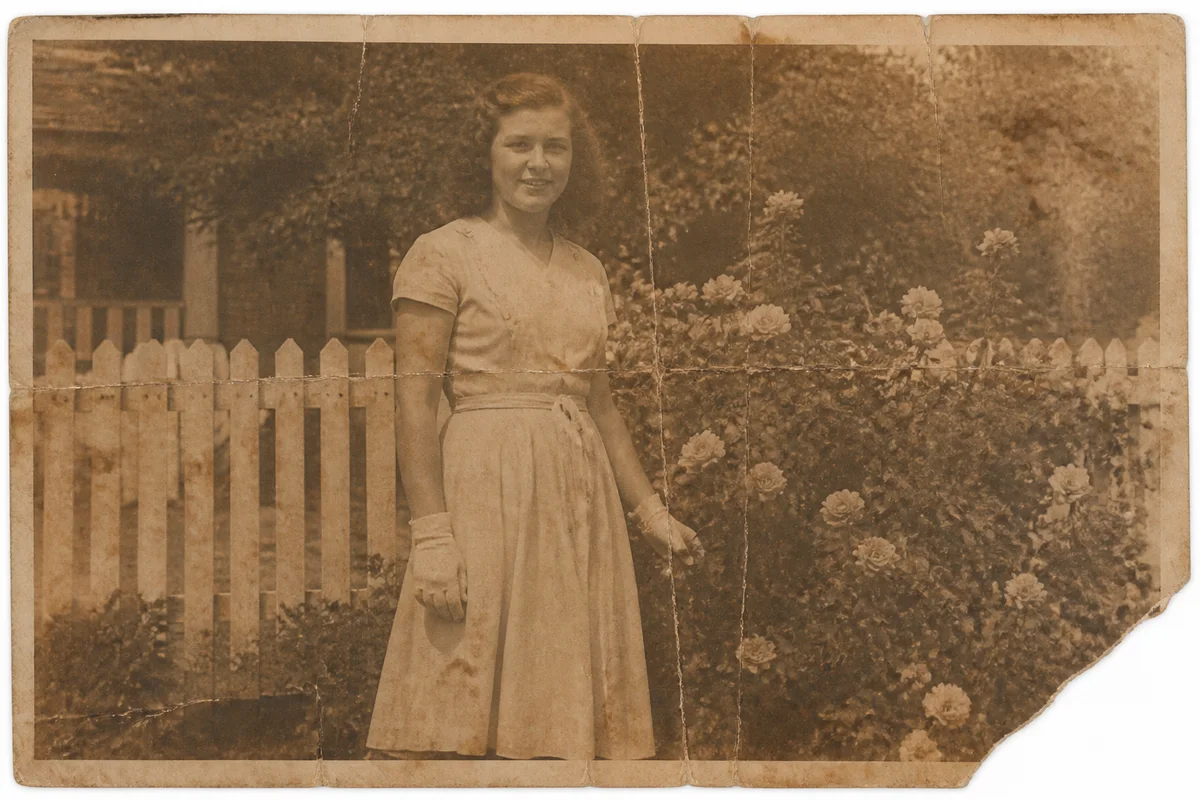
Watch the rescue unfold — pull the slider across.
Every family has a short list of photographs that actually matter — the ones someone would grab in a fire. The great-grandparents' portrait. The farmhouse before it was sold. The last photo of a brother. These images carry more family identity than anything else in the house, and they are, without exception, deteriorating.
Digital restoration is how an heirloom stops being fragile. Scan it once, and AI lifts away the accumulated damage — fade, foxing spots, creases, silvering — producing a revived version while the original rests untouched in archival storage. The restored file can then be printed, shared, and backed up in triplicate, which is more protection than the print has had in a century.
Seconds per image, any time you're ready. The hardest part is choosing which heirloom goes first.
The problems this solves
- The photo is irreplaceable and every year takes a visible toll on it.
- Only one print exists, so every relative who wants a copy adds handling risk.
- Age damage — foxing, silvering, fade — has crept over faces.
- Nobody in the family has the software skills for manual restoration.
A workflow that works
Scan once, restore digitally
One careful capture is the last time the original needs handling; restoration does the rest on the file.
AI Photo RestorationClean residual spots and marks
Foxing spots and hairline scratches that survive the main pass come off with targeted repair.
AI Scratch RepairRecover the faces
Heirlooms are ultimately about the people in them — enhancement returns the detail that lets a great-grandchild study a face.
AI Face EnhancementUpscale and archive
A high-resolution master file supplies every future print and frame, and backs up safely in the cloud.
AI Image UpscalerFrequently asked questions
What's the safest way to digitize a fragile print?
Handle it by the edges once, on a clean flatbed scanner at 600 DPI or higher — or photograph it flat in soft window light if the print can't be pressed. Then return it to an archival sleeve; all further work happens digitally.
Should the family keep the original after restoration?
Absolutely. The restored file is for display and sharing; the original is the artifact. Keep both, and note in the family record which is which.
Can everyone in the family get a copy?
That's the point — one restored master file prints as many copies as there are cousins, with no further wear on the original.
How much skill does this take?
None beyond uploading. Describe what you want if the default restoration needs adjusting, and each pass takes seconds. New accounts start with 4 free credits.
Related use cases