
Restore & revive
AI Glare Removal
Clear flash glare from glasses, skin, and surfaces
Starter credits come with your account — and there's no card to enter.
- 1Upload the photo where glare or reflection hides detail
- 2The AI finds the blown areas and rebuilds what sits beneath them
- 3Compare against the original and download the cleared photo

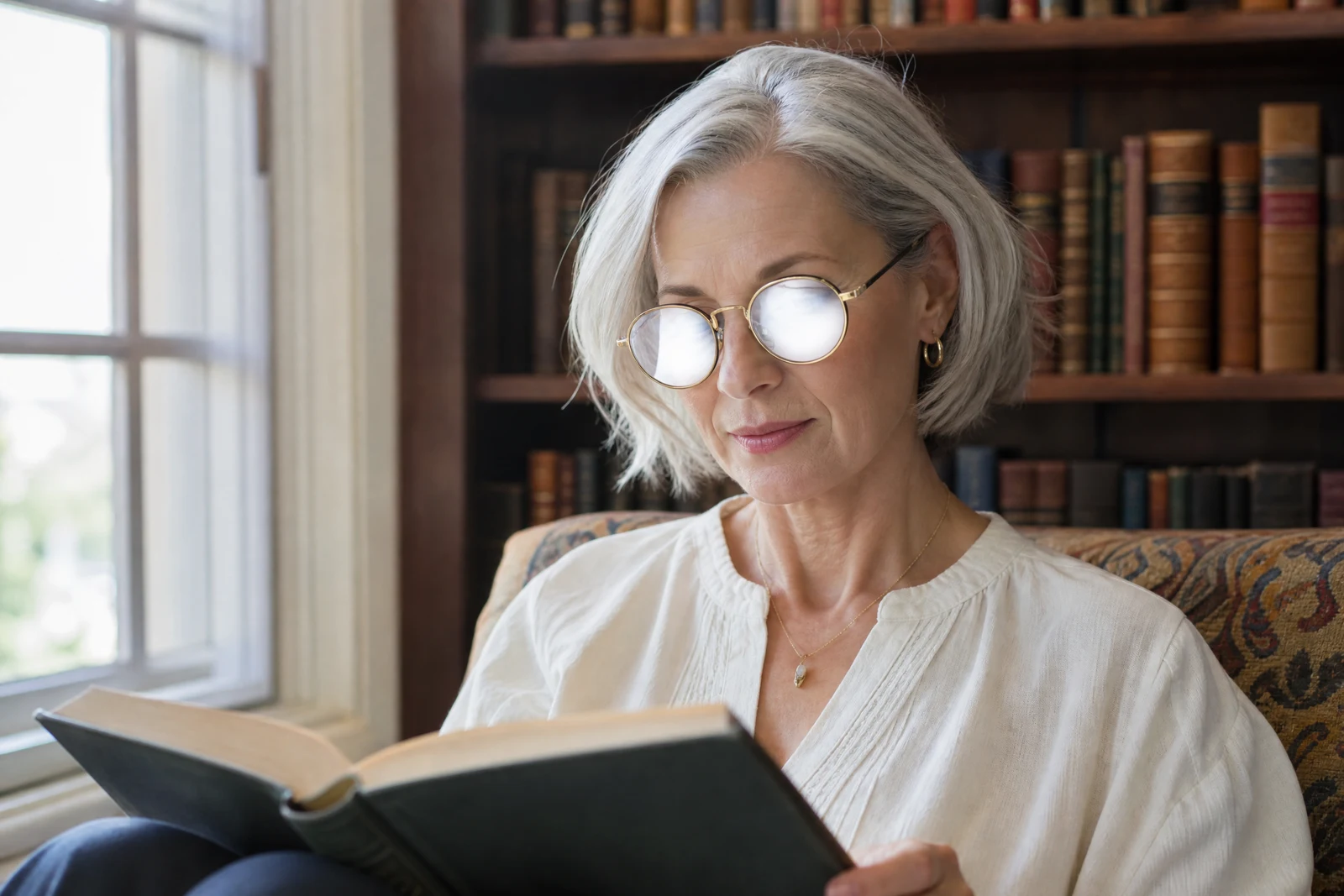
Straight out of the editor, unretouched — slide the handle to see the change.
Glare is a thief of faces. A flash fired at someone wearing glasses bounces straight back as two white discs where their eyes should be; the same light leaves hot streaks on foreheads, picture frames, laminated menus, and car windows. The information underneath is partly or wholly burned away, which is why simple dodging never fixes it — there is nothing left to darken.
This tool treats glare as a reconstruction problem. Upload the photo and the AI identifies the blown reflections, then rebuilds the surfaces beneath: the eyes and skin behind eyeglass flare, the texture of a shiny cheek, the detail of a reflective tabletop. Lighting direction and skin tone from the rest of the photo guide the rebuild so the repaired patch belongs to the frame around it.
Glare shows up constantly in the photos worth rescuing — old flash snapshots, photos of framed photos, quick pictures of documents. It also pairs well with Red Eye Removal, since the same flash that flared the glasses often lit up the pupils, and with Photo Restoration when you are re-photographing a print through reflective glass.
Why this tool
- Send what you finish here straight into every other tool
- Standard, Pro and Max quality tiers
- Results land in your creations library
- Enlarge for printing, or set the still photo in motion as video
Frequently asked questions
Can it recover eyes behind glasses glare?
Yes — eyeglass flare is the signature case. The AI reconstructs the eyes and surrounding skin using the person's visible features and the photo's lighting, replacing the white discs with a natural view through the lenses.
Does it also fix shiny skin?
It handles the harsh specular hotspots flash leaves on foreheads, noses, and cheeks. For a broader everyday shine-reduction on portraits, the Blemish Remover's Shine mode is the more targeted choice.
What about photos taken through glass or of framed prints?
Reflections on windows, frames, and glossy prints are treatable the same way. When re-photographing a framed photo, this pass plus Photo Restoration is a strong rescue sequence.
Can I try AI Glare Removal for free?
Yes — every new account starts with 4 free credits, enough to run this tool once at Standard quality. No credit card required.
Related tools