
Use case
Repair Torn and Ripped Family Photos
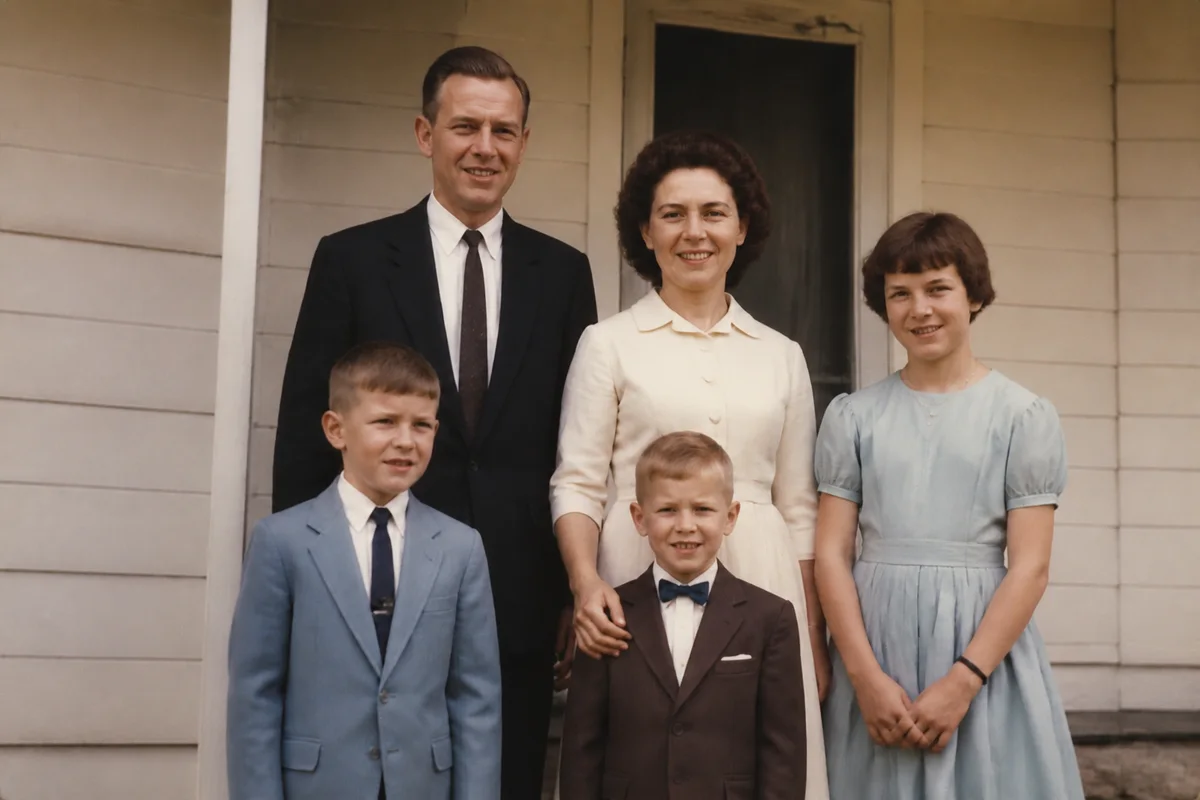
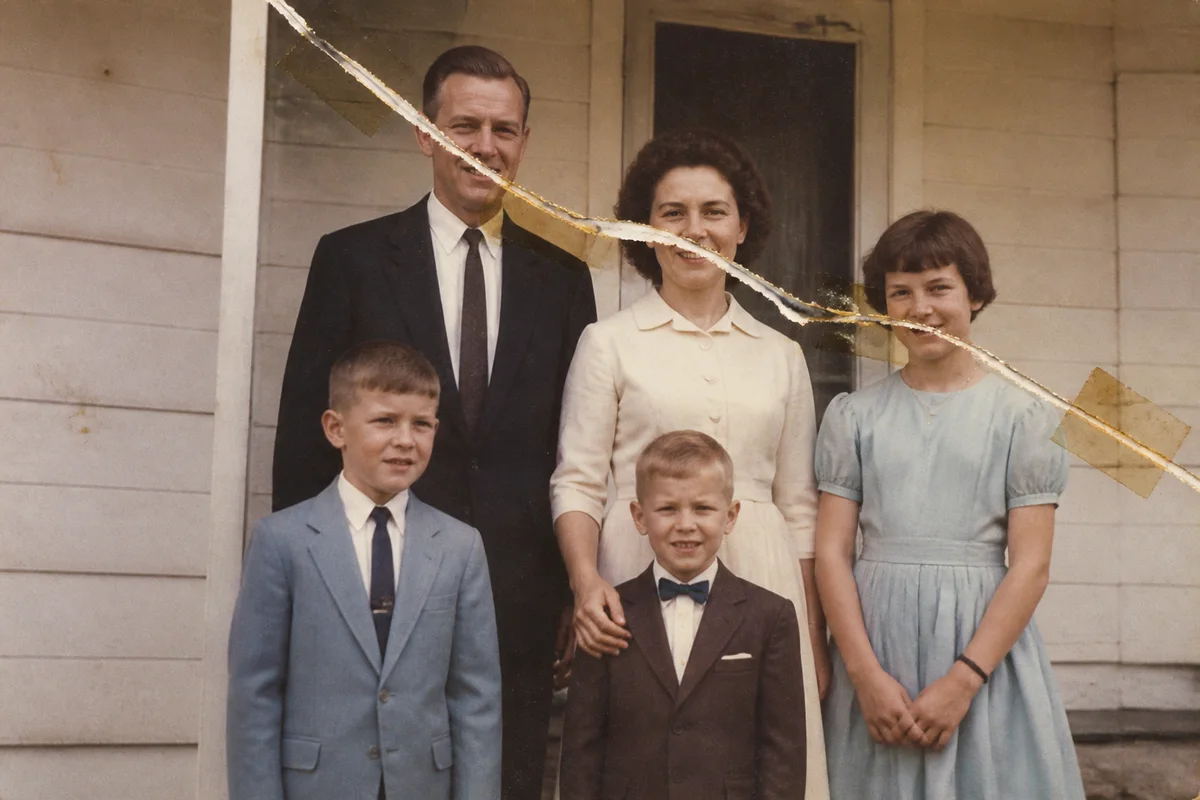
Watch the rescue unfold — pull the slider across.
Some tears are accidents — a print caught in a frame, a toddler's enthusiasm, a move that went badly. Others were deliberate, made in a moment somebody later regretted. Either way, the tear doesn't have to be the end of the photograph.
Lay the pieces together as closely as you can, scan or photograph them in one frame, and upload. AI restoration knits the tear back together, rebuilds the emulsion lost along the rip, and reconstructs missing corners from the surrounding image. There's no tape involved and nothing touches the original — the repair is entirely digital.
For a photo that exists in only one copy in the whole world, this is the difference between a family image that gets passed down and one that stays hidden in an envelope because of the damage.
The problems this solves
- The tear runs straight through a face — the one part that matters most.
- Pieces are missing entirely, taking a corner or an edge of the scene with them.
- Old tape repairs have yellowed and stained the print worse than the tear did.
- Deep creases from folding have cracked the emulsion into white lines.
A workflow that works
Restore the assembled scan
Restoration closes the tear, rebuilds lost emulsion along the rip, and reconstructs small missing regions in one pass.
AI Photo RestorationClean up creases and tape stains
Fold lines and adhesive discoloration often survive the main repair and respond well to a targeted cleanup.
AI Scratch RepairRecover facial detail
When the tear crossed a face, enhancement helps the rebuilt features settle in with the original ones. Check the result against other photos of the person before printing.
AI Face EnhancementUpscale for reprinting
A repaired photo deserves a fresh print — upscaling produces a file clean enough to frame larger than the original.
AI Image UpscalerFrequently asked questions
A whole piece of the photo is gone. What happens to that area?
The AI reconstructs it from context — surrounding textures, clothing, background. For scenery it's usually seamless; for a missing face it's an invention, not a recovery, so treat that case with care and note it for family members.
Should I tape the pieces together before scanning?
No — tape damages prints permanently. Arrange the pieces snugly on the scanner bed or a flat surface, hold them flat with clean glass if needed, and capture them in one shot.
Can you fix a photo that was torn decades ago and repaired with tape?
Yes. Scan it as it is, tape and all. Restoration treats the tape stains and the tear together, and the digital result is often cleaner than the print has looked in years.
How much does it cost to try?
Signing up is free and includes 4 free credits, so you can repair your most important photo first and decide from there.
Related use cases