
Use case
Rescue Photos from Sticky Magnetic Albums
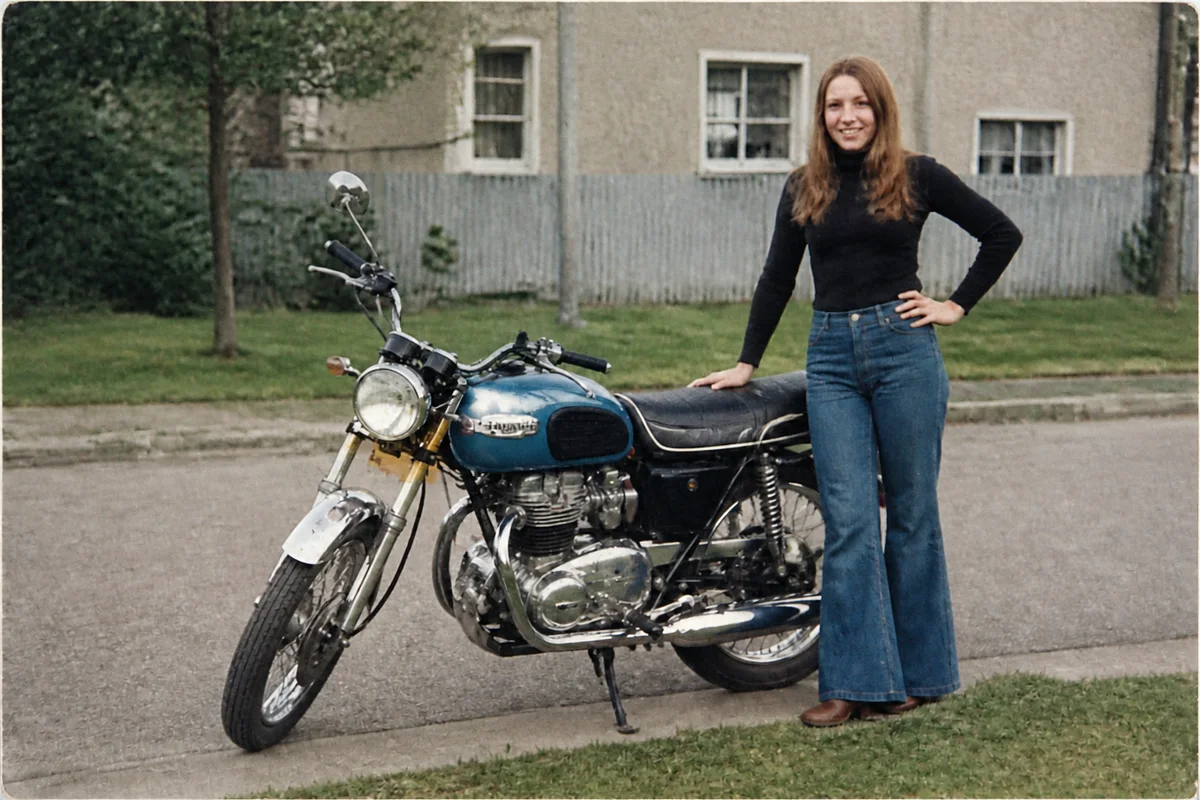
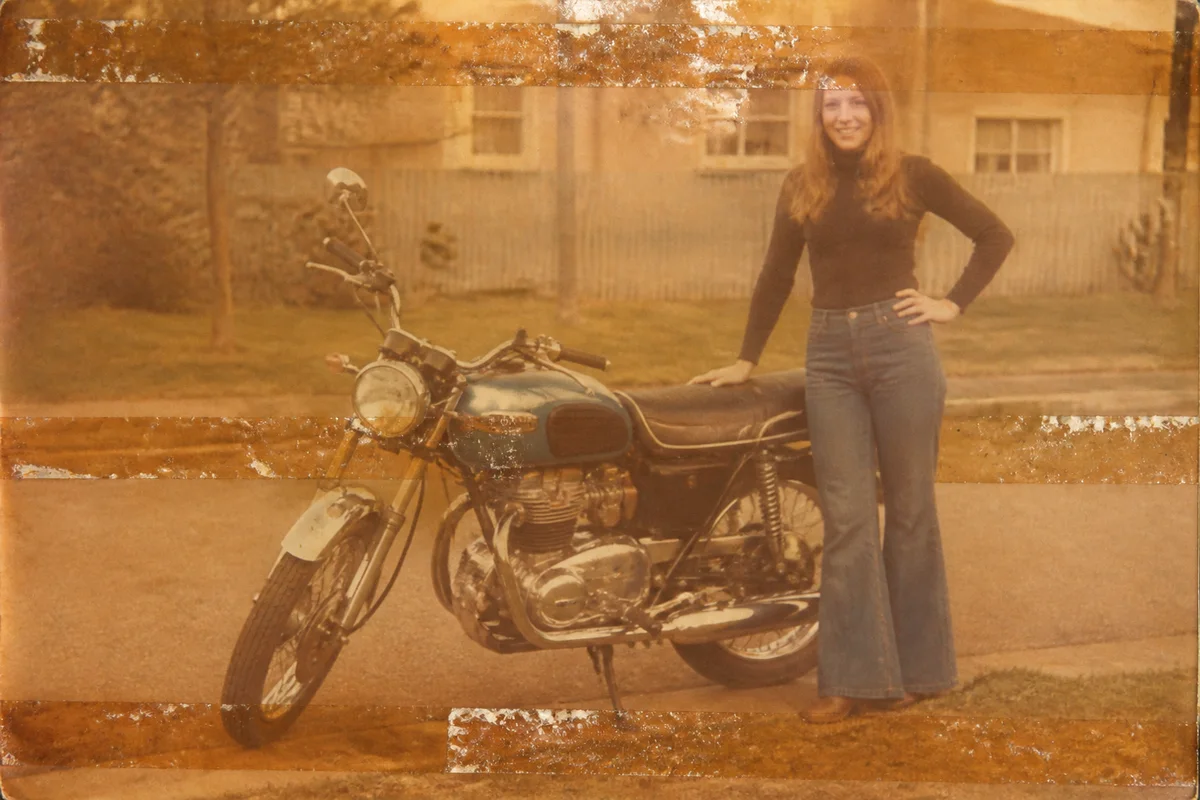
Watch the rescue unfold — pull the slider across.
The self-adhesive 'magnetic' albums of the seventies and eighties turned out to be slow-motion photo destroyers. The adhesive strips yellow the prints in tiger stripes, the plastic overlay fuses to the surface, and prying a photo loose can peel the image right off its paper. Archivists consider these albums an emergency; most families consider them a shelf.
The rescue strategy is digital-first: capture each photo where it sits — through the plastic if it won't lift safely — and let AI undo the album's damage on the file. Adhesive stripes lift out, the overall yellow cast corrects, plastic-sheen dullness clears, and the print's original life comes back.
Once the album is digitized and revived, the physical rescue can wait for careful hands or simply stop mattering: the images are out, safe, and better than they've looked in forty years.
The problems this solves
- Adhesive strips print yellow-brown stripes across the photo backs and bleed into the image.
- Plastic overlays dull every photo and sometimes fuse to the emulsion.
- Prying photos loose risks tearing away the image layer entirely.
- Whole decades of family history sit in these albums, deteriorating on schedule.
A workflow that works
Restore the captured page
Restoration lifts the adhesive striping and age damage the album pressed into every print.
AI Photo RestorationCorrect the album's yellow cast
The adhesive and plastic aged everything toward amber; correcting the cast recovers the true palette.
AI White BalanceCut through plastic-overlay dullness
Shots taken through the overlay come out flat — an enhancement pass restores contrast and clarity.
AI Auto EnhanceUpscale keepers for reprinting
The best rescued photos deserve fresh prints in modern frames, free of the album forever.
AI Image UpscalerFrequently asked questions
Should I try to remove the photos from the album first?
Only if they lift with zero resistance. Dental floss slid gently behind a corner sometimes works; anything that resists should be photographed in place. A ruined capture angle is fixable — a torn emulsion isn't.
How do I photograph a page without glare from the plastic?
Indirect daylight, no flash, and tilt the album until reflections slide off the print you're capturing. Shoot each photo individually rather than the whole page for best resolution.
The adhesive stripes go right across faces. Do they come out?
Stripe discoloration responds well to restoration. Where adhesive physically damaged the emulsion, the AI reconstructs — review those areas, especially on faces.
This is a twelve-album project. Where do I start?
One page of favorites, tonight, with the 4 free credits signup includes. Each photo takes seconds, so an album per evening is a realistic pace.
Related use cases