
Use case
Restore a Veteran's Service Photo
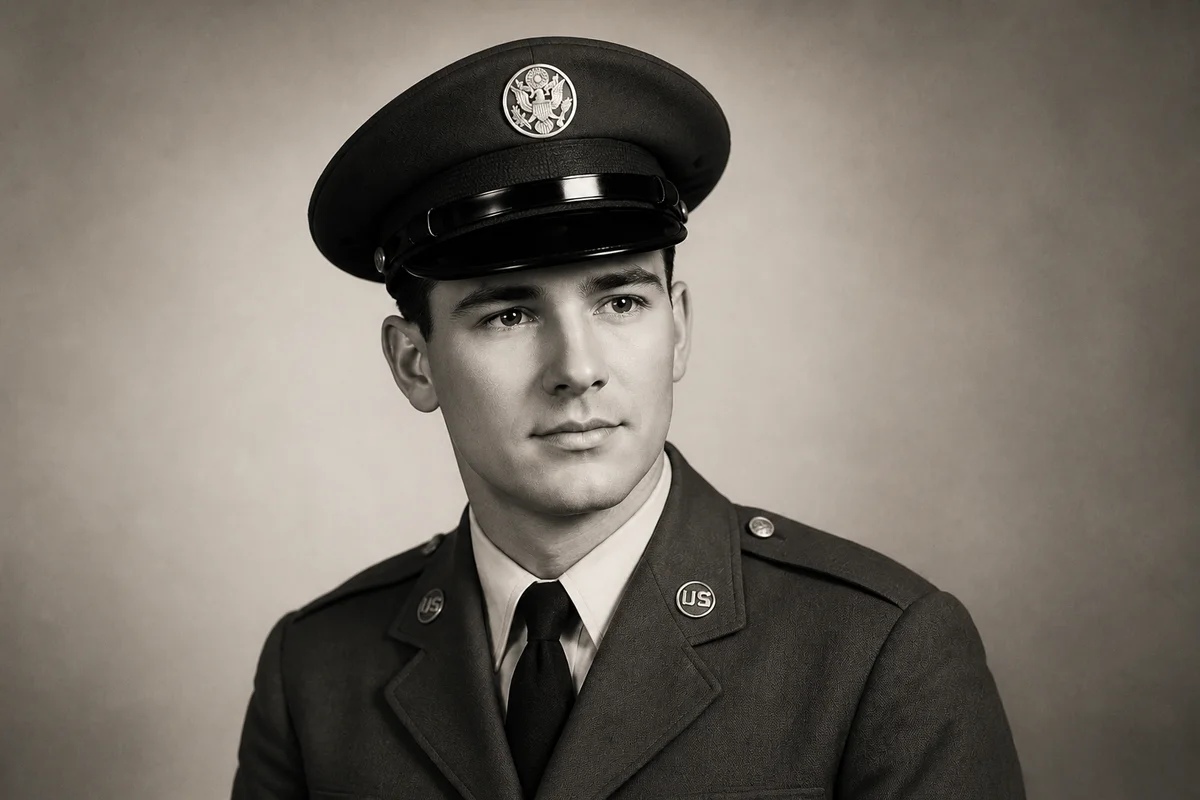
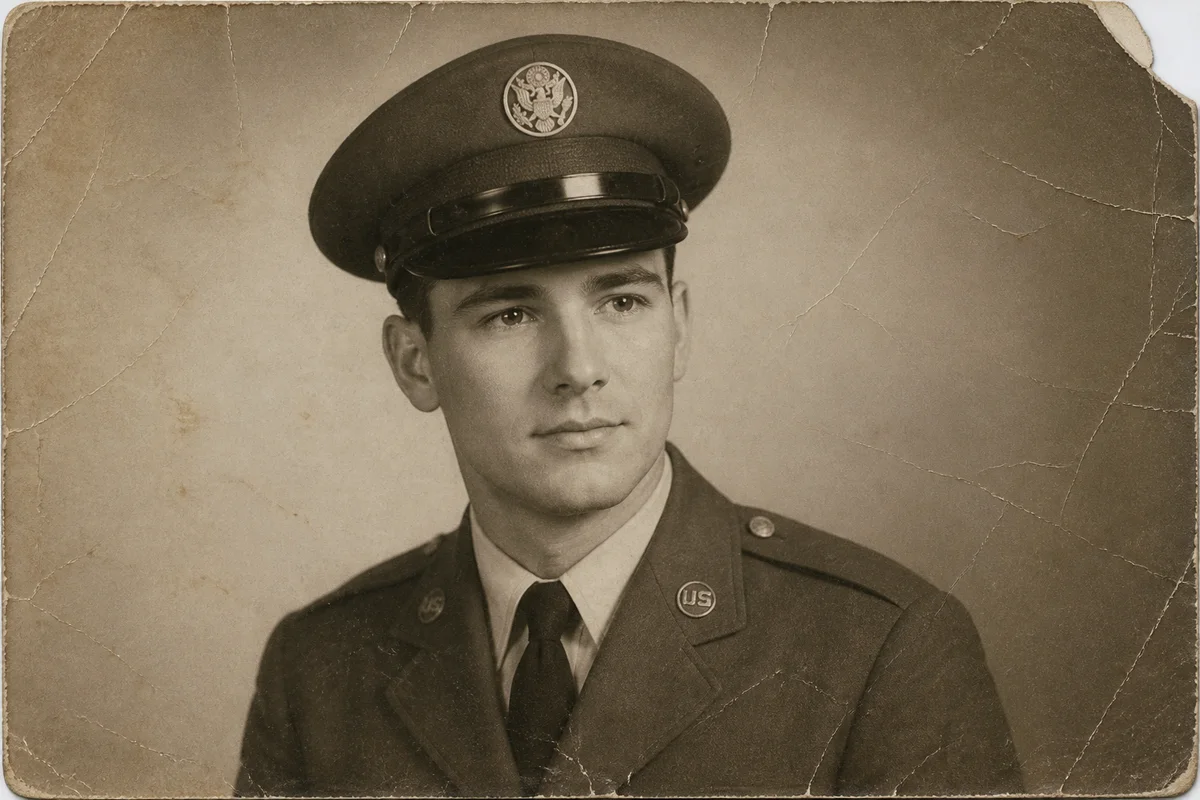
Watch the rescue unfold — pull the slider across.
Service photos travel hard. They cross oceans in duffel bags, live in wallets through deployments, and spend decades pinned to walls and tucked into mirrors. By the time a family wants to honor the person in them — for a funeral, a shadow box, a Veterans Day post — the photo has earned its damage.
AI restoration returns the portrait to parade-ground condition: creases and spots lifted away, the young face sharpened, insignia and ribbons distinct again. Colorization can bring a black-and-white service portrait into color, a transformation families often describe as finally meeting the nineteen-year-old their father was.
Scan the photo, upload it, and the restored version is ready in seconds — in time for the ceremony, the anniversary, or simply the frame on the hallway wall.
The problems this solves
- Wallet-carried portraits are creased, worn at the corners, and rubbed soft.
- Wartime prints were made quickly on variable stock and have faded unevenly.
- Uniform details — insignia, ribbons, unit patches — have blurred into the fabric.
- The family needs a presentable version quickly for a memorial or tribute.
A workflow that works
Repair the wear
Decades of handling damage — creases, spots, worn corners — come off in a single restoration pass.
AI Photo RestorationSharpen the portrait
The face is the point of a service photo; enhancement brings back the detail that wallet-years rubbed away.
AI Face EnhancementColorize the era
Color turns a historical document back into a person. Uniform colors are AI interpretations — veterans' organizations and unit references can help you verify details that matter.
AI Photo ColorizerUpscale for the shadow box
Shadow boxes and memorial displays call for larger prints than the original wallet-size — upscaling gets the file there cleanly.
AI Image UpscalerFrequently asked questions
We need this restored before a funeral this week. Is that possible?
Yes — the restoration itself takes seconds and the site is available around the clock. Scan or photograph the print, upload, and you'll have a version ready for the printer the same day. Signup includes 4 free credits.
Will the uniform colors be correct after colorization?
Colorization makes era-informed choices, but treat specifics like ribbon colors and branch shades as a starting point. If precision matters for a display, verify against reference photos from the same era and request corrections in a follow-up edit.
The photo is a newspaper clipping of his unit. Can that be restored?
Yes — halftone newspaper dots, yellowing, and fold lines are all treatable. The result depends on how much detail the clipping preserved, so review faces closely before use.
Can I crop one person out of a unit group photo?
Crop the scan to the person, then upscale and enhance. This is the standard route to an individual portrait when only group photos survive.
Related use cases