
Use case
Revive Your Scanned Slide Collection
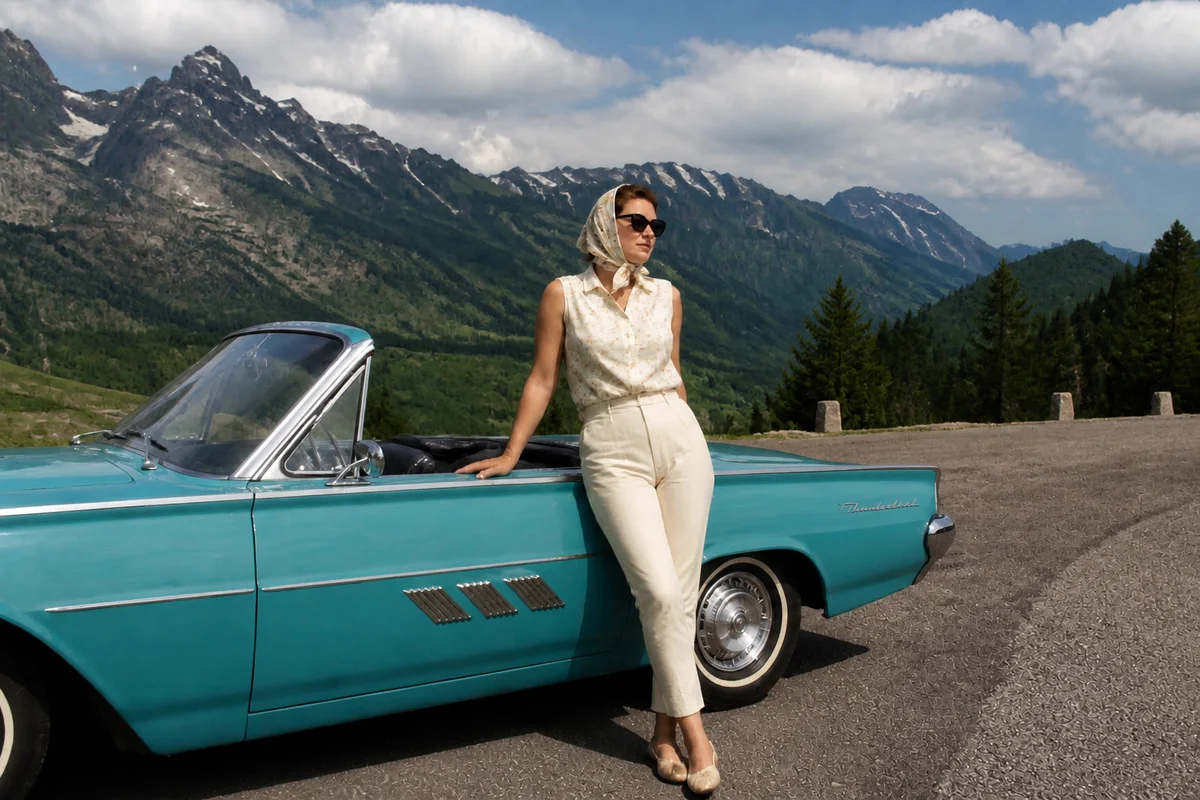
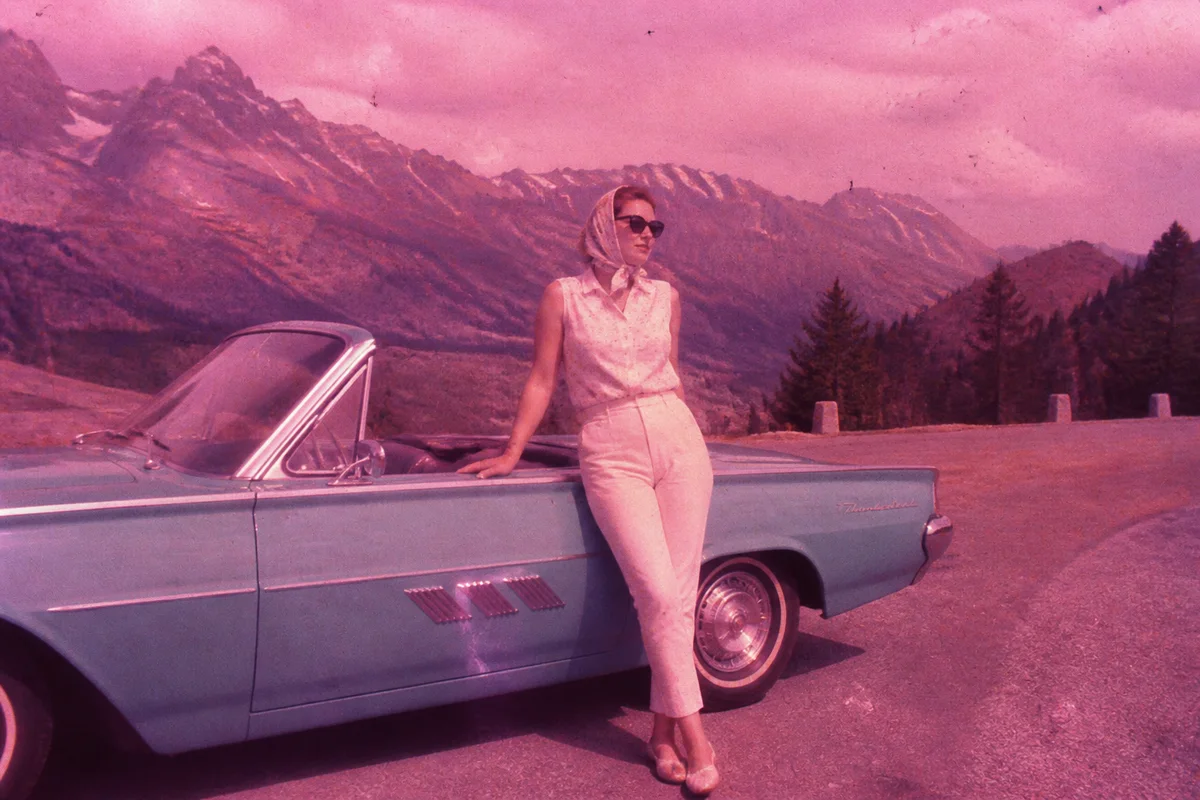
Watch the rescue unfold — pull the slider across.
Somewhere in the family storage there's a carousel — or twelve — of 35mm slides: vacations, Christmases, the house being built. Scanning them is the easy part now. The frustration is that the scans come out flat, dusty, and color-shifted, because the slides themselves have spent fifty years quietly deteriorating in their trays.
AI picks up where the scanner leaves off. Dust and fungus spots lift away, the magenta or red shift of aging film pulls back toward the scene's real palette, dense shadows open up, and the sharpness Kodachrome was famous for comes back to the surface. Seconds per slide, which matters when the carousel holds a hundred and forty.
The payoff is a family archive that was effectively invisible — nobody sets up a projector anymore — suddenly shareable on every screen in the family.
The problems this solves
- Aging slide film shifts magenta, red, or purple depending on the stock.
- Dust, fibers, and fungus spots show on every frame at scan resolution.
- Slides are dense — scans come out dark with blocked-up shadows.
- Hundreds of frames make per-image manual correction unrealistic.
A workflow that works
Correct the film's color shift
Each film stock ages its own direction; correction brings skies, skin, and foliage back from the magenta drift.
AI Color CorrectionRemove dust and spots
Decades of tray storage put debris on every frame — repair clears it faster than any blower brush.
AI Scratch RepairOpen up the shadows
Slide film's dense shadows hide detail the scan actually captured; exposure correction lets it out.
AI Exposure FixerSharpen and upscale
A well-scanned slide holds real detail — upscaling delivers it at sizes a projector never could.
AI Image UpscalerFrequently asked questions
What's the best way to scan slides at home?
A flatbed with a transparency lid or a dedicated slide scanner both work; even the phone-over-a-light-panel method produces usable captures. Scan at the highest practical resolution — the AI makes the most of whatever detail you capture.
The whole carousel has the same magenta cast. Do I fix each one?
Each image processes individually, but each takes only seconds — a full carousel is an evening with a podcast on. The consistency of the cast actually helps: the same correction works across the batch.
Some slides have fungus damage. Recoverable?
Spots and webbing clean up well in restoration. Where fungus ate the emulsion, the AI reconstructs from surroundings — check those areas before printing.
Can I try before scanning the whole archive?
Scan ten favorites, use your 4 free signup credits on the best of them, and let the results decide the project's scope.
Related use cases