
Use case
Rescue Photos That Survived a Fire
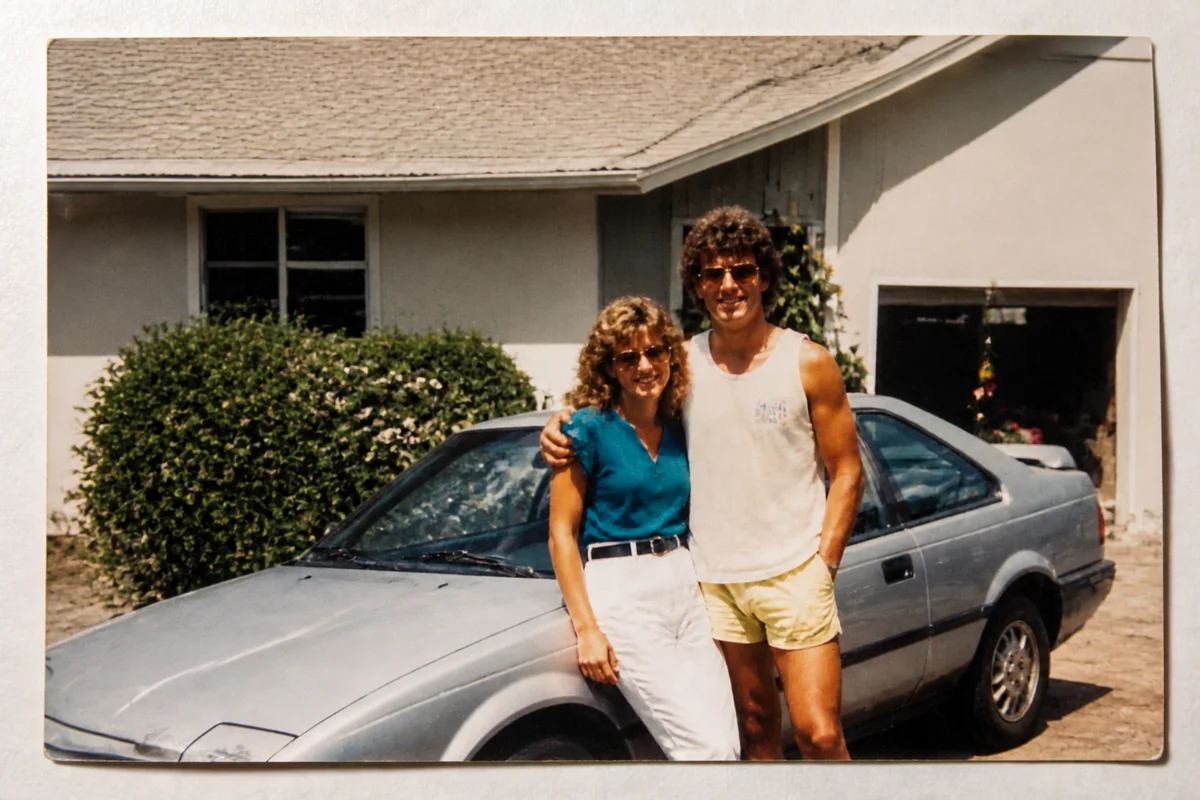
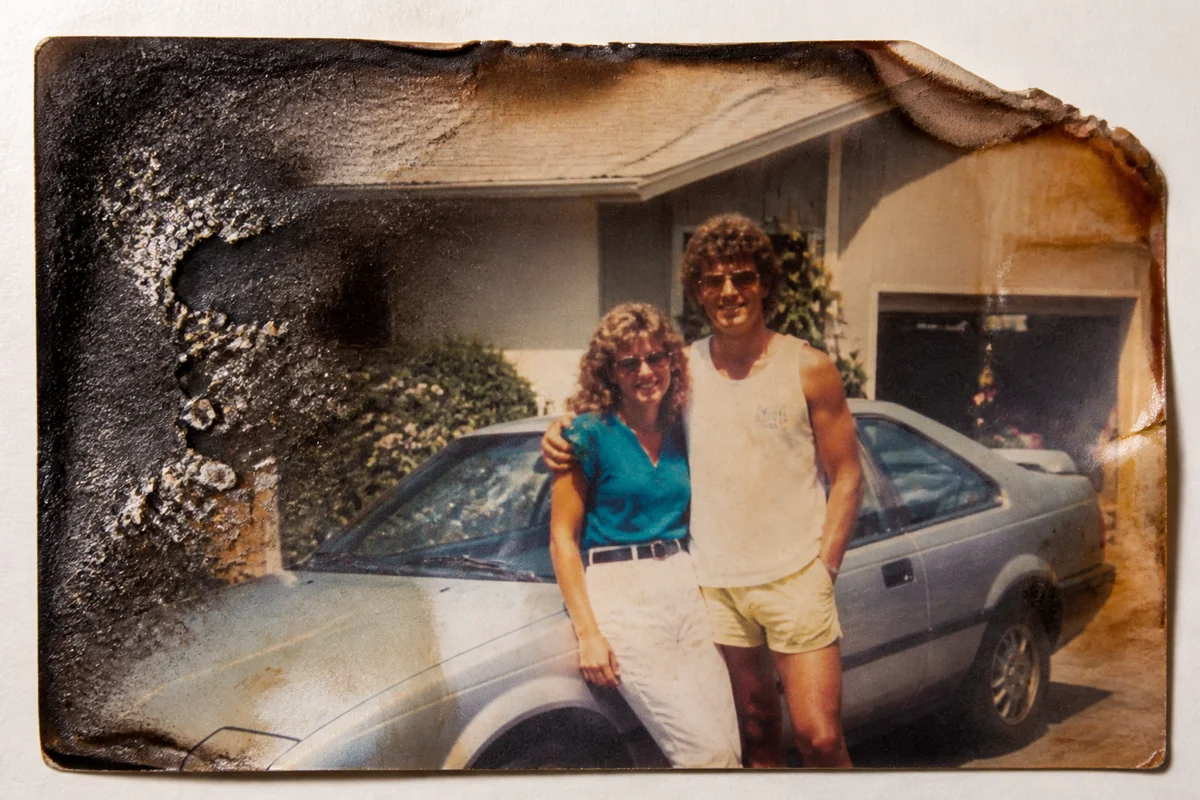
Watch the rescue unfold — pull the slider across.
After a house fire, the photos that survive are rarely unscathed — edges scorched brown, surfaces hazed with smoke residue, emulsion bubbled by heat. They're also suddenly the most important objects the family owns: whatever burned completely is gone, and these partial survivors carry the whole archive's weight.
Digital restoration works with whatever remains. Scan each survivor exactly as it is, and AI rebuilds outward from the intact regions — clearing smoke haze, repairing scorched margins, reconstructing edges where the burn crept into the image. The physical print can then rest; the family works from the revived file.
Insurance timelines and rebuilding chaos rarely leave energy for photo triage, so it helps that each restoration takes seconds and the site is there whenever the family is ready — next week or next year.
The problems this solves
- Scorching consumed edges and crept into the image itself.
- Smoke residue lays a brown haze over everything that didn't burn.
- Heat bubbled and warped the emulsion into ripples.
- The surviving prints are now the family's only photos of certain people and years.
A workflow that works
Restore the surviving image
Restoration clears smoke haze and rebuilds damaged regions from what the fire left intact.
AI Photo RestorationRepair scorch lines and bubbling
Heat damage leaves distinctive marks — a targeted pass cleans what the first round leaves behind.
AI Scratch RepairRebalance the smoke-stained color
Smoke shifts everything brown-orange; correction returns the scene's palette.
AI Color CorrectionReconstruct burned edges
Where the burn consumed the margin, expansion rebuilds a plausible edge so the photo can be framed whole. The rebuilt area is generated, so review it against memory.
Generative ExpandFrequently asked questions
How should I handle burned photos before scanning?
As little as possible — scorched prints crumble. Support each one on clean card stock, scan or photograph without flexing it, and don't try to clean soot off the surface; the AI removes it digitally.
Part of the photo is simply gone. What will the restored version show there?
The AI reconstructs missing regions from surrounding context. For backgrounds it's usually seamless; for missing faces it's an invention rather than a recovery, so weigh whether to reconstruct or crop instead.
We lost most of the albums. Can copies come from relatives' photos too?
Yes — gather scans and phone photos of relatives' copies, restore each, and rebuild a digital archive that's fire-proof by nature. Every duplicate in a cousin's album is now precious.
Is there a cost to start?
Signup is free with 4 free credits. Begin with the most important survivor and go from there.
Related use cases