
Products & places
AI Color Changer
Recolor any item in the photo — realistically
Starter credits come with your account — and there's no card to enter.
- 1Upload the photo, name the item and the new color
- 2The AI recolors it with shading and texture carried through
- 3Compare variants if choosing, then download
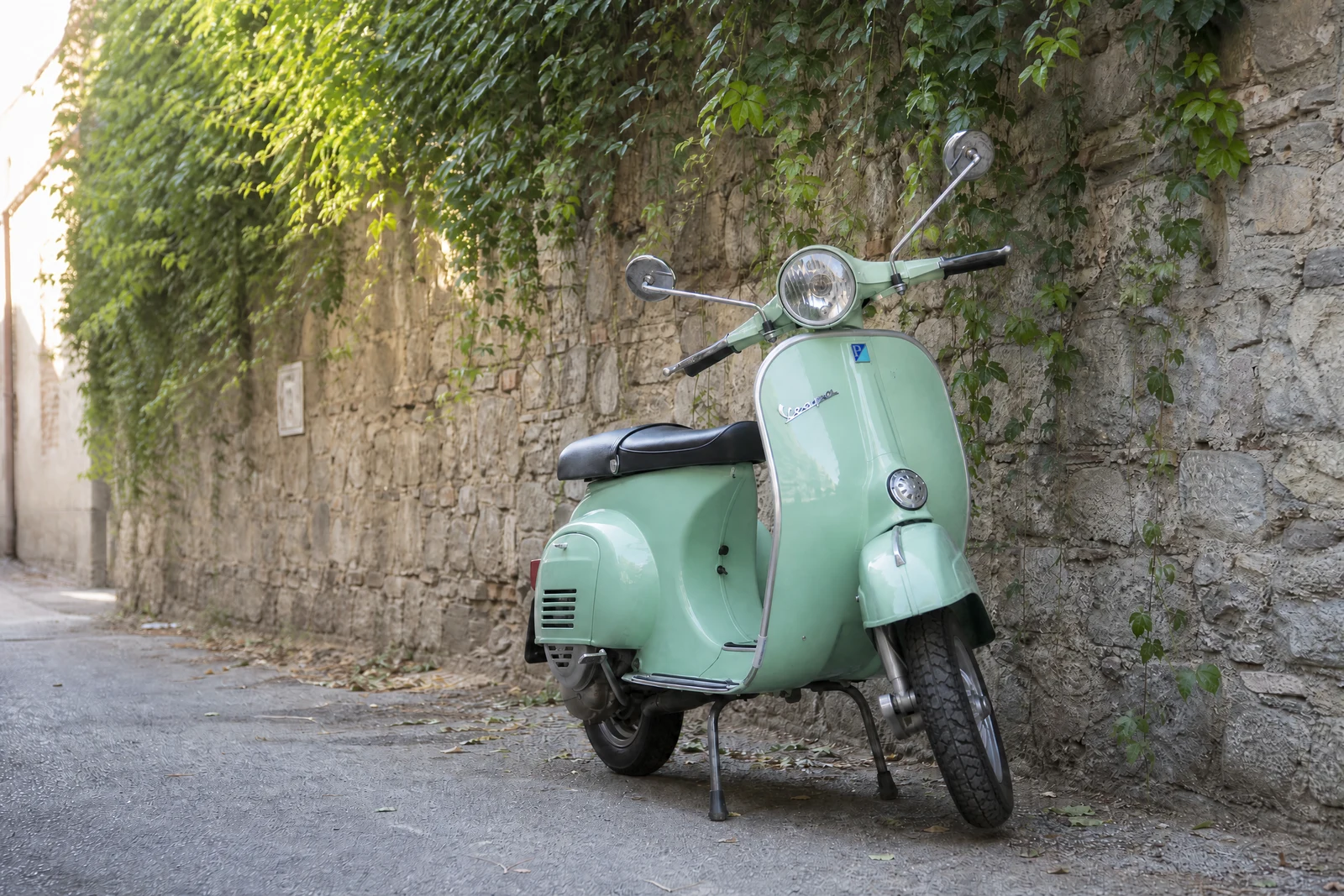
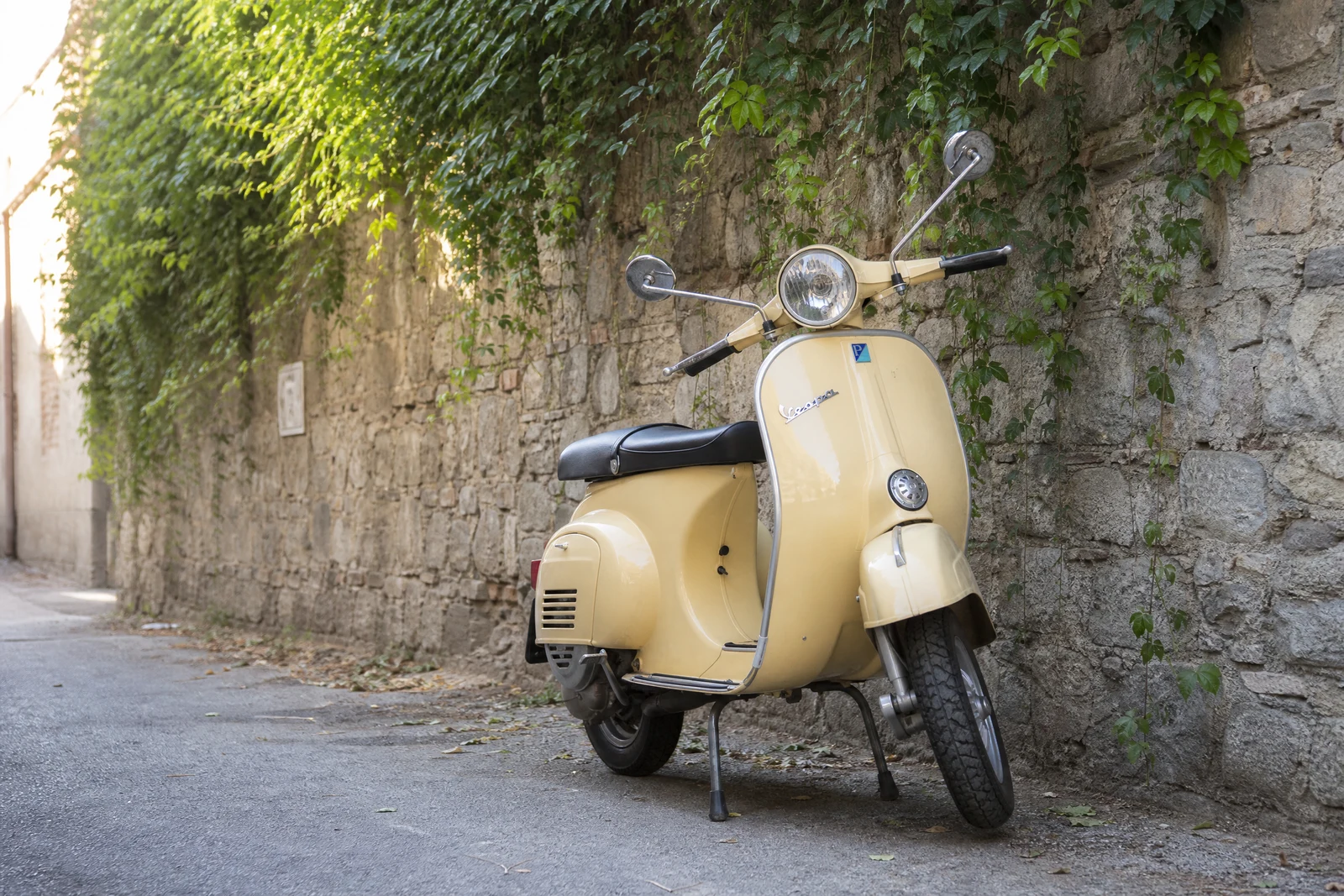
Straight out of the editor, unretouched — slide the handle to see the change.
Color questions are everywhere decisions are: would the front door look better yellow, does this dress work in burgundy, should the product line add a sage variant? Answering by paint bucket fill produces the flat, sticker-like recolors everyone recognizes as fake — real objects carry their color through highlights, shadows, and texture.
Name the item and the target color: 'the sofa — forest green', 'the car — matte black'. The AI identifies the object, maps how light moves across it, and re-renders it in the new color with that light intact — the sheen of leather, the nap of velvet, the metallic flake of a car panel, all persisting through the change. Finishes are part of the vocabulary: matte, glossy, pastel, two-tone.
Homeowners preview paint and furniture, shoppers preview variants, and sellers generate an entire color range from one photographed sample — a listing habit that saves photographing every SKU. Precision comes from specific naming; when two similar items share the frame, add a locator: 'the chair on the left'.
Why this tool
- Send what you finish here straight into every other tool
- Standard, Pro and Max quality tiers
- Results land in your creations library
- Enlarge for printing, or set the still photo in motion as video
Frequently asked questions
Why doesn't it look like a paint-bucket fill?
Because the recolor preserves the object's light: highlights, shadows, and material texture are re-rendered in the new hue rather than flattened under it. That is the difference between a recolored object and a colored shape.
How specific can the color be?
Very — 'sage green', 'burnt orange', 'navy with a matte finish' all steer the render. Brand-exact color matching should be verified against a physical swatch, as screens and photos both shift color.
Can I recolor several items?
Run one item per pass for control, chaining passes to redo a whole room or outfit. Each pass takes seconds, so a full palette exploration is minutes of work.
Can I try AI Color Changer for free?
Yes — every new account starts with 4 free credits, enough to run this tool once at Standard quality. No credit card required.
Related tools