
Use case
Rescue Your MySpace-Era Photos

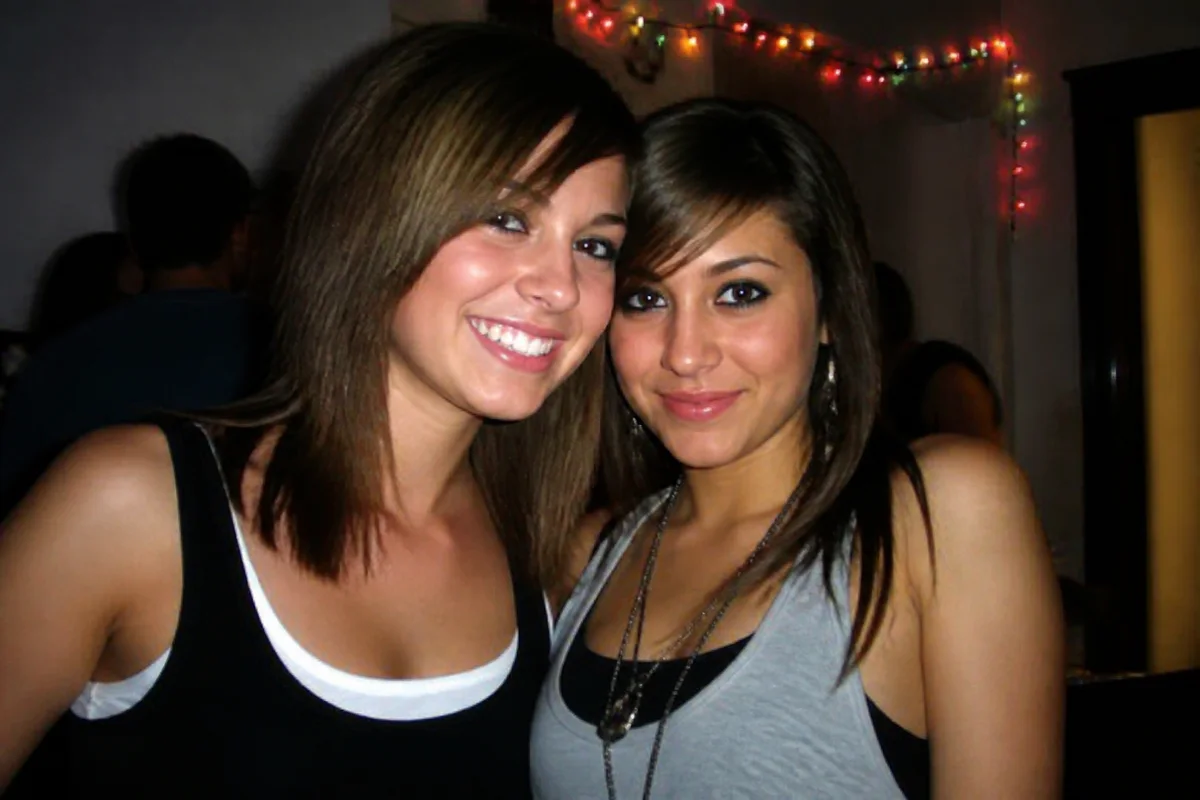
Watch the rescue unfold — pull the slider across.
Everyone who was online in the mid-2000s has a folder of digital fossils: profile pictures saved at 400 pixels wide, party photos crushed by upload compression, angled self-portraits from a 2-megapixel camera in a bathroom mirror. The platforms are gone or unrecognizable; the saved copies are all that's left of the era.
Those files are exactly what AI enhancement was built to rescue. Upscaling multiplies the postage-stamp dimensions, artifact cleanup dissolves the compression blocks, and sharpening rebuilds what three rounds of uploading blurred away. The result: 2006 photos that hold up on a 2026 screen.
Throwback posts, reunion slideshows, or just repairing your own visual history — the era deserves better than 400 pixels, and each rescue takes seconds.
The problems this solves
- Saved profile photos are tiny — often 400 to 600 pixels on the long side.
- Platform compression left blocky artifacts and smeared detail.
- The originals are long gone; the downloaded copy is the only copy.
- Digital camera shots of the era were noisy indoors and washed out by flash.
A workflow that works
Upscale the small file
Multiplying the resolution turns a profile-thumbnail relic into a usable image.
AI Image UpscalerDissolve compression artifacts
Upload compression left blocks and halos; cleanup makes the frame smooth without plasticizing it.
AI DenoiseSharpen the rebuilt detail
After upscaling and cleanup, sharpening restores the definition the platform stripped out.
AI Image SharpenerRevive the color
Early-2000s cameras and re-saves left color thin; a finishing pass brings the scene back.
AI Auto EnhanceFrequently asked questions
The only copy I have was screenshotted from an old profile. Workable?
Yes — crop to the photo itself, then upscale and clean. Screenshots add a layer of compression, but the treatment handles it; start from the largest version you can find.
Can I fix photos for a 20-year reunion slideshow?
That's the classic use — each rescue takes seconds, so a whole slideshow of 2000s photos is one sitting, any time before the event. Signup gives you 4 free credits to start.
Will heavily compressed faces come back accurately?
Reconstruction fills in what compression destroyed, so results are convincing but partly rebuilt — review faces you know well and keep the original file alongside.
What about the harsh on-camera flash look?
Exposure correction tames the blasted-white faces and dark backgrounds — though some of that look is the era's charm, so treat to taste.
Related use cases