
Portraits
AI Body Reshaping
Subtle figure and posture adjustments, described in words
Starter credits come with your account — and there's no card to enter.
- 1Upload a full- or half-body photo
- 2Describe the specific, measured adjustment you want
- 3Compare carefully with the original and download
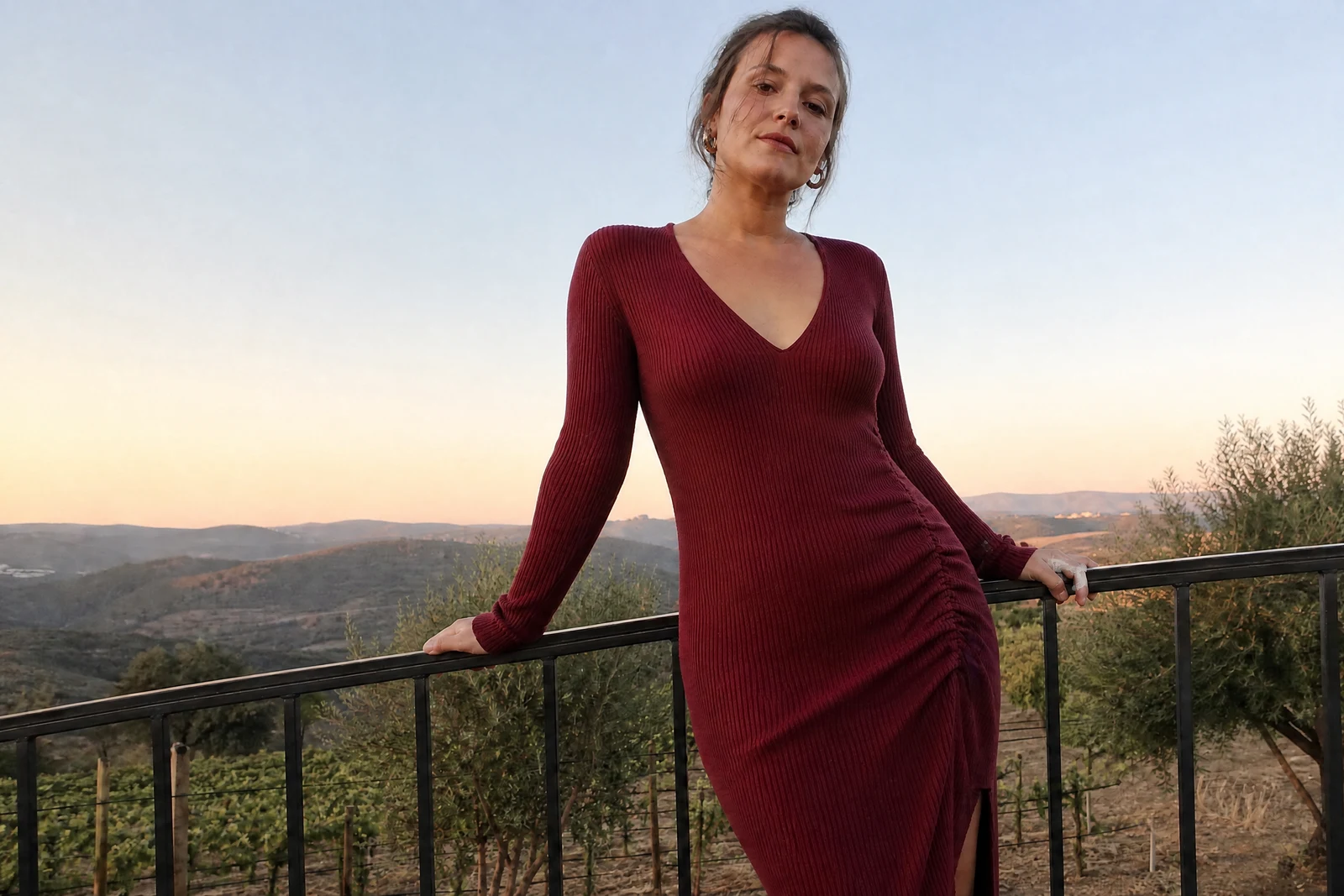
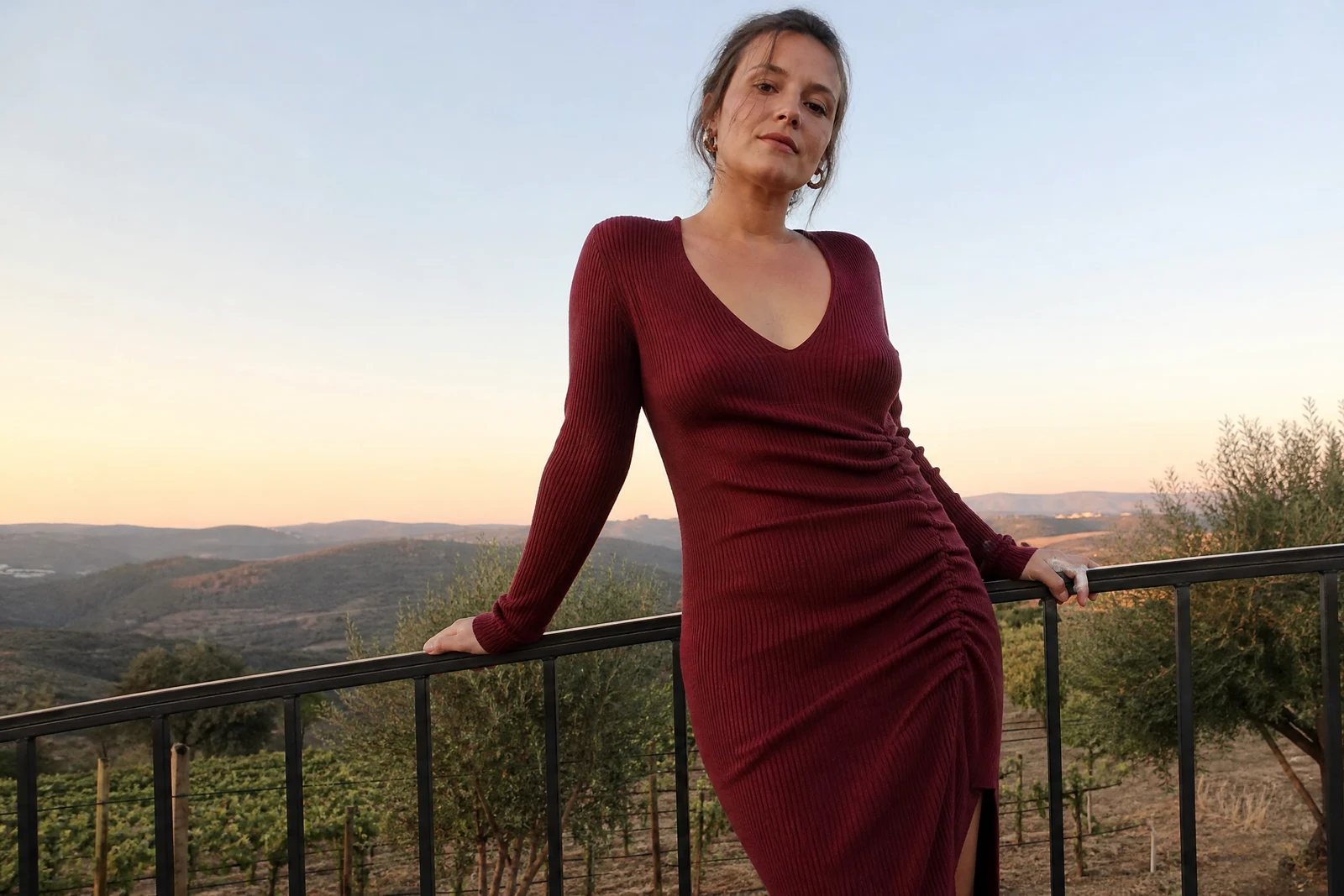
Straight out of the editor, unretouched — slide the handle to see the change.
Cameras are unflattering machines. A wide lens up close adds weight that is not there, a slouch that lasted one second becomes permanent, and an awkward angle can misrepresent a body the mirror knows better. Much of what people want from body editing is not transformation — it is correcting what the camera did.
Describe the adjustment in plain words: 'improve the posture', 'slim the waist slightly', 'make the arms look more toned', 'reduce the double chin the angle created'. The AI applies the change while rebuilding the surroundings — clothing folds, background lines — so the edit does not leave the warped-doorframe tell of drag-to-distort apps. Modifier words are respected: 'slightly' means slightly.
Restraint is the feature. Small, specific adjustments produce results that read as a better photo of the same person, which is the outcome that survives being seen next to the person themselves. For faces rather than figures, Face Retouch and Expression Changer are the matching instruments, and all of them chain in the same editor.
Why this tool
- Send what you finish here straight into every other tool
- Standard, Pro and Max quality tiers
- Results land in your creations library
- Enlarge for printing, or set the still photo in motion as video
Frequently asked questions
How do I get natural-looking results?
Ask for less than you think you want, in specific terms. 'Slim the waist slightly' and 'straighten the posture' age well; dramatic requests produce photos that argue with every other photo of you.
Will the background warp around the edit?
The AI rebuilds clothing and background around the adjustment specifically to avoid the bent-shelf artifacts of manual liquify tools. Check lines and patterns near the edited area — clean ones are the sign of a good pass.
Can it fix what a bad camera angle did?
That is its best use case: correcting lens distortion, unflattering perspective, and one-second slouches — the differences between the photo and how you actually looked in the room.
Can I try AI Body Reshaping for free?
Yes — every new account starts with 4 free credits, enough to run this tool once at Standard quality. No credit card required.
Related tools