
Use case
Revive Photos from Scanned Yearbook Pages
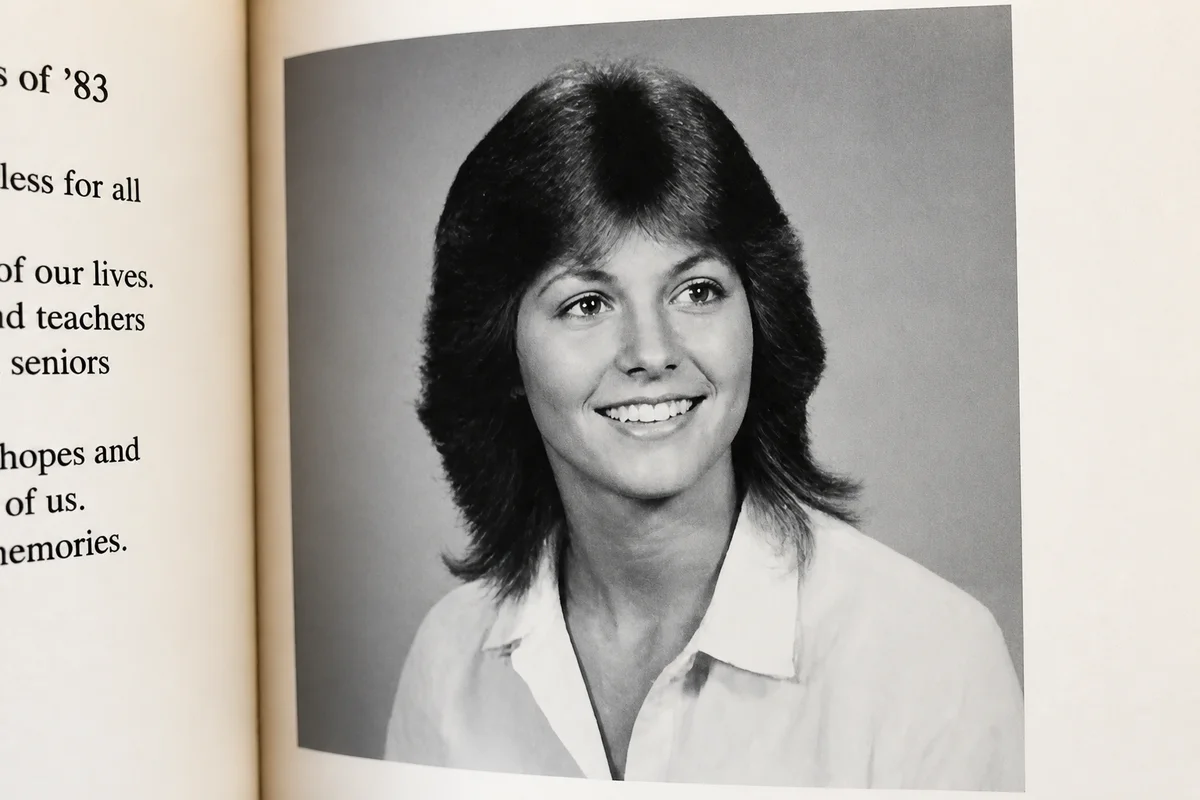
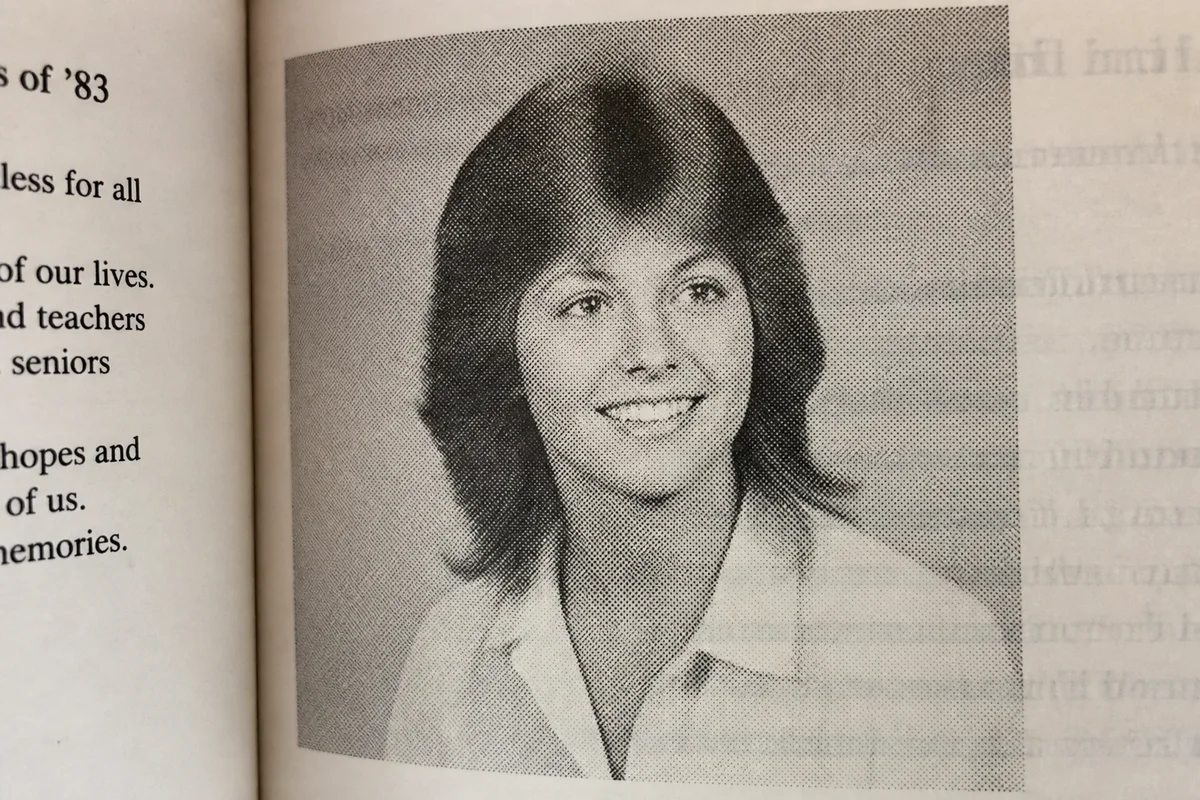
Watch the rescue unfold — pull the slider across.
Yearbooks are the census of ordinary life — everyone's there, photographed the same week, labeled by name. Which makes them genealogy gold and reunion fuel, and explains why so many rough yearbook scans circulate: phone shots of a 1974 page, library microfilm captures, screenshots from digitized archives. The paper was cheap, the printing was screened, and the scans inherit it all.
AI treatment turns a yearbook capture into something closer to the original portrait sitting. The halftone screen smooths into continuous tone, the gray page-cast lifts, and the small senior-portrait faces sharpen until they're recognizably the people their grandchildren know from later photos.
Crop out one classmate for a birthday tribute or process a whole spread for the fiftieth reunion — seconds per image either way.
The problems this solves
- Yearbook printing screens every portrait into visible dots.
- Cheap paper has yellowed and the page gutter shadows the scan.
- Individual portraits are tiny — a face is a half-inch of screened print.
- Circulating copies are photos-of-photocopies with detail crushed out.
A workflow that works
Restore the page capture
Page yellowing, gutter shadow, and print wear come off first, leaving clean portraits to work with.
AI Photo RestorationSmooth the halftone screen
The dot pattern reads as noise once scanned — denoising returns the portraits to continuous tone.
AI DenoiseSharpen the small faces
Half-inch portraits need rebuilt detail to hold up cropped and enlarged. Confirm names against the printed captions — the layout is the yearbook's built-in ID system.
AI Face EnhancementUpscale the crop
A single classmate's portrait, cropped and upscaled, becomes a standalone image for tributes and profiles.
AI Image UpscalerFrequently asked questions
Can I turn a yearbook portrait into a standalone photo of my mom?
Yes — capture the page, restore, crop her portrait, then enhance and upscale. This is often the best surviving photo of a person at seventeen.
What's the best way to capture a yearbook page?
Lay it as flat as the binding allows in bright indirect light and shoot straight down, or use a flatbed if the spine tolerates it. Capture at the highest resolution available — the screened print rewards detail.
Do the name captions survive the cleanup?
Yes, and they usually sharpen along with everything else. Keep a full-page version for the record and cropped versions for sharing.
How much to prepare a reunion's worth of pages?
Seconds per image; signup includes 4 free credits to test your class's spread before processing the whole book.
Related use cases